What Should Medical Waiting Rooms Disinfect?
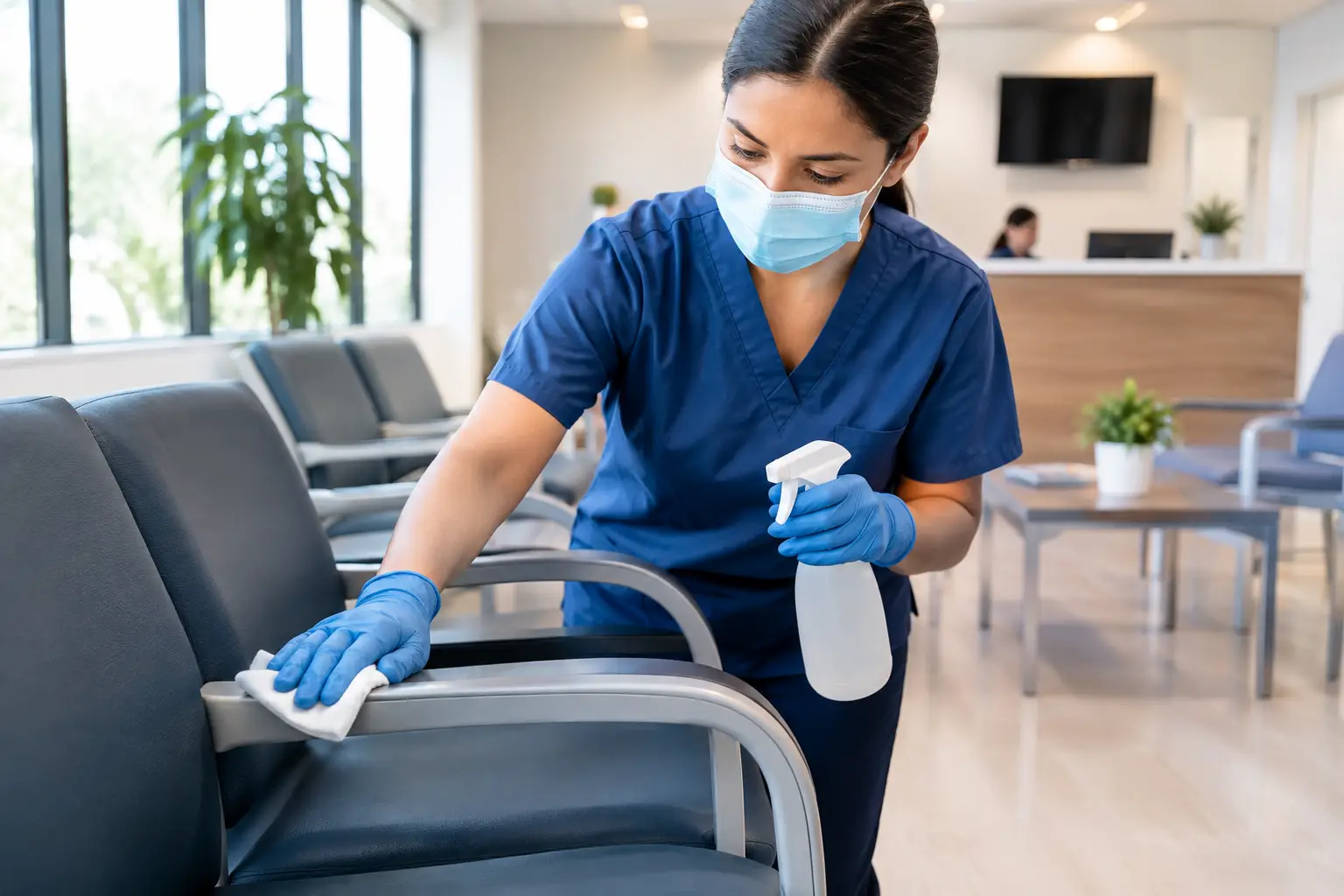
The first point of contact in a medical office is often a front door handle, a check-in counter, or the arm of a waiting-room chair. Those surfaces may be touched by dozens of patients, family members, delivery staff, and employees before the day is over. When practice administrators ask, “what should medical waiting rooms disinfect,” they need more than a general reminder to clean high-touch areas. They need a clear, repeatable plan that staff and cleaning teams can follow every day.
A waiting room does not need to look visibly dirty to create a hygiene concern. In a busy medical or dental office, the details that are easy to miss are usually the details patients touch most. A documented disinfection scope helps protect patient confidence, support a well-managed facility, and prevent the recurring problem of having to remind a vendor about the same missed areas.
What should medical waiting rooms disinfect every day?
The priority is any nonporous surface that receives frequent hand contact. These areas should be cleaned first when soil is present, then disinfected using an EPA-registered product appropriate for the surface and the facility’s needs. The product label matters. A disinfectant only works as intended when it remains wet for its required contact time.
In most waiting rooms, daily disinfection should include:
- Entry and interior door handles, push plates, door locks, and elevator buttons near the suite
- Reception counters, transaction ledges, pen holders, clipboards, signature pads, and card terminals
- Waiting-room chair arms, seat surfaces when appropriate, side tables, and accessible table edges
- Light switches, thermostat controls, call buttons, and public-facing cabinet handles
- Shared keyboards, mice, phones, touchscreens, tablets, and self-check-in kiosks
- Water cooler levers, coffee station handles, vending controls, and refrigerator handles
- Restroom door hardware and accessible fixtures in or directly beside the waiting area
The exact list will vary by layout. A small dental practice in Montclair may have a compact reception desk and a few shared chairs. A multi-provider clinic in Newark may have several entrances, a children’s corner, check-in kiosks, and a larger restroom corridor. The principle stays the same: map the patient journey from the front door to the exam-room threshold, then identify every shared touchpoint along that path.
Do not overlook shared devices and patient-use items
Shared technology deserves special attention because it can be damaged by the wrong product or process. Check-in screens, card readers, tablets, and keyboards should be disinfected according to the manufacturer’s instructions. Spraying product directly onto electronics is rarely the right approach. Applying an approved product to a cloth first is often safer, provided the equipment guidance allows it.
Reusable pens, clipboards, and hard plastic document holders can also become a weak point. Some practices reduce handling by offering sanitized pens in one container and placing used pens in another for disinfection. That simple workflow is effective only when someone owns the reset process and completes it consistently.
High-touch is not the same as visibly dirty
A common mistake is focusing only on what looks unclean. Dust on a windowsill should be addressed, but it does not present the same immediate hand-contact concern as a reception counter or chair arm. Disinfection efforts should be driven by traffic, touch frequency, and the type of activity occurring in the space.
For example, a waiting-room magazine rack may need routine cleaning, but the checkout counter where every patient signs, pays, or picks up paperwork may need more frequent attention during operating hours. A child activity table may require a different schedule than adult seating because children may touch toys, table edges, and nearby surfaces repeatedly.
Facilities should also consider surfaces that are touched by staff and then by patients. File drawers, supply cabinet pulls, printer controls, staff-access doors near reception, and package delivery areas can become indirect touchpoints. These are often missed when a cleaning scope is built around appearances rather than actual workflow.
Clean first, then disinfect when needed
Cleaning and disinfecting are related, but they are not interchangeable. Cleaning removes dirt, dust, residue, and some germs from a surface. Disinfecting uses a product intended to kill or inactivate certain germs on a previously cleaned surface, based on the product label.
When a counter has spills, adhesive residue, food debris, or visible grime, applying disinfectant alone may not provide the intended result. The surface should be cleaned before disinfection. This is particularly relevant around beverage stations, children’s areas, and reception desks where paperwork, hand sanitizer, and personal items create buildup.
Not every item belongs in a heavy disinfection routine. Upholstered seating, paper materials, and delicate finishes may require a manufacturer-approved cleaning method instead. Overusing harsh chemicals can discolor surfaces, damage screens, leave residue, or create strong odors in an enclosed patient area. A site-specific plan balances hygiene with preserving the facility’s finishes and equipment.
Set a schedule that matches patient traffic
A once-nightly cleaning visit is essential, but it may not be enough for every medical waiting room. The right frequency depends on patient volume, appointment types, seasonal illness trends, office hours, and whether the practice has employees available for daytime touchpoint resets.
For a lower-traffic specialist office, thorough daily disinfection of high-touch surfaces plus periodic daytime attention may be appropriate. For a high-volume urgent care, pediatric office, dental practice, or clinic with continuous arrivals, reception touchpoints and restrooms may need attention several times during the day.
A practical schedule often separates tasks into three levels. Opening tasks prepare the waiting room before patients arrive. Daytime tasks address priority touchpoints, spills, and restroom conditions during business hours. Closing tasks provide a complete reset of seating, counters, floors, waste receptacles, and all identified touchpoints.
The goal is not to create unnecessary work. It is to prevent gaps. If chairs are disinfected only after closing but patients rotate through them all day, the practice should decide whether daytime resets are needed based on volume and risk. That decision should be documented rather than left to assumptions.
Restrooms and entryways affect the waiting-room standard
Patients judge the waiting room as a whole, including the spaces immediately connected to it. An otherwise clean reception area can lose credibility quickly when the adjacent restroom has an empty soap dispenser, a dirty door handle, or overflowing waste.
Restrooms require routine cleaning and disinfection of high-touch fixtures such as faucet handles, flush levers or buttons, door hardware, dispensers, stall locks, and grab bars. Floors should also be monitored for moisture and debris because safety matters as much as appearance.
At the entry, focus on exterior and interior door hardware, glass around hand height, vestibule rails, and weather mats. North Jersey winters can bring salt, slush, and moisture into medical offices, creating a different set of cleaning priorities. Entry-floor care should be part of the waiting-room plan, particularly because slip risks and tracked-in soil can affect both safety and first impressions.
Use a documented process, not memory
The most dependable medical-office cleaning programs identify the surfaces, frequency, product type, responsible party, and inspection method. A checklist should be specific enough that a supervisor can confirm whether work was completed without guessing what “disinfect waiting room” was meant to cover.
For example, instead of listing “clean reception,” a scope can identify the check-in counter, chair arms, kiosk screen, payment terminal, interior door handles, water dispenser lever, and restroom entry hardware. It should also state which items are handled during the evening service and which require daytime staff attention.
Quality checks are equally useful. If a practice repeatedly finds fingerprints on glass, missed chair arms, or low restroom supplies, that is not simply a cleaning complaint. It is a sign that the scope, training, inspection process, or communication loop needs adjustment. The right cleaning partner should address the cause, document the correction, and follow up instead of waiting for the next complaint.
Build the plan around your actual waiting room
A medical waiting room is not a generic office lobby. It may include immunization paperwork, patient-use technology, mobility aids, pediatric furniture, beverage stations, or a tightly managed check-in area. Those details determine what should be disinfected, how often, and with which products.
CEECEE Commercial Cleaning develops site-specific plans for medical and dental offices throughout Newark and surrounding North Jersey communities. A walkthrough can identify high-touch surfaces, facility concerns, and the practical daily routines needed to keep the waiting room orderly and ready for patients. Request a customized proposal to build a cleaning and disinfection plan your team will not have to chase.
Call (917) 837-6499 or email info@ceeceecleaning.com